

Simcenter FloEFD & FloTherm
CFD that runs directly inside the CAD interface, showing design engineers immediately whether a new design overheats or chokes the flow, without waiting for files to reach the simulation department.
How it differs from traditional CFD
You never leave CAD
The geometry comes straight from the model you are working on. Modify the design and rerun immediately, with no export or geometry clean-up.
Automatic meshing
A Cartesian mesh is generated automatically, so no specialist meshing skill is needed and design engineers can use it immediately.
Strongest on thermal problems
FloTherm goes deep into electronics cooling: components, PCBs, rack cabinets, data centers — with component libraries and thermal resistance models ready to use.
Applications
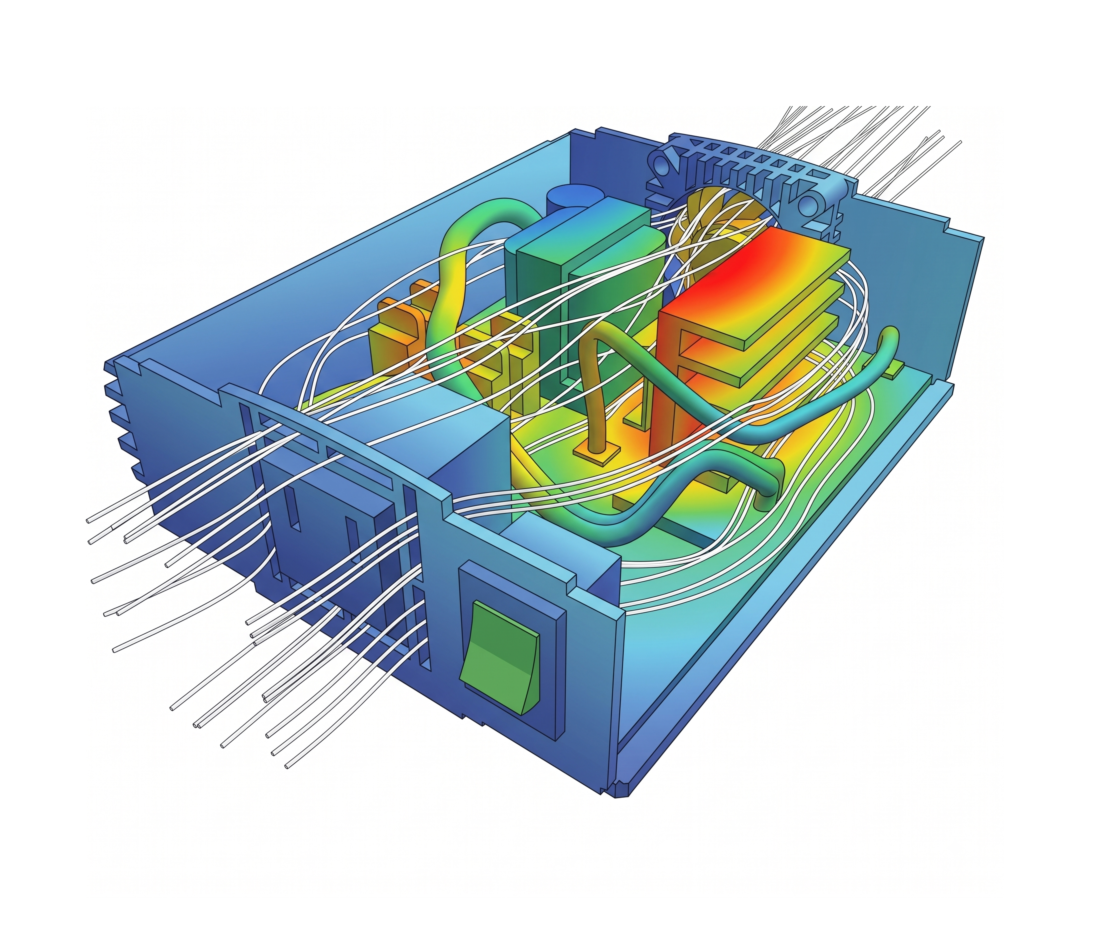
- Cooling electrical & electronic equipment — control cabinets, inverters, power supplies, high-power LEDs: locating hot spots and arranging fans and heat sinks
- HVAC at equipment scale — condenser units, AHUs, fans, ducts: pressure loss and flow distribution
- Fast option checks — comparing a handful of design variants at concept stage before moving to detailed simulation
- Valves, pumps, piping — loss coefficients and flow through mechanical components
Models supported
- Single-phase flow, compressible and incompressible
- Convective heat transfer, conduction in solids, thermal radiation
- Fans and porous media defined by characteristic curves
- Component thermal resistance and multi-layer PCB models (FloTherm)
When to move to another tool
FloEFD solves most design-stage problems quickly. Heavy industrial cases need a different tool.
Simcenter STAR-CCM+
Multiphase, combustion, very large meshes, industrial equipment cases.
View details →Applications at CFDWAYS
- Quickly screening several layout options before running a detailed simulation
- Assessing the cooling of control cabinets and industrial electronics
- Supporting clients who have CAD but no dedicated simulation team
Licensing & support
CFDWAYS distributes FloEFD and FloTherm with local engineering support. FloEFD is licensed per CAD platform, so the environment has to be identified before a quotation can be made.
- FloEFD for NX, Solid Edge, SolidWorks, Creo, CATIA V5, or as a standalone version
- FloTherm and FloTherm XT for dedicated electronics thermal problems
- Add-on modules: HVAC, electronics, simple multiphase flow
Tell us your CAD platform and problem type, and CFDWAYS will recommend the appropriate version.
Ask about the right configurationIndicative system requirements
| Operating system | Windows 10/11 64-bit |
|---|---|
| CAD platform | NX, Solid Edge, SolidWorks, Creo, CATIA V5, or standalone |
| RAM | 16 GB for ordinary cases, 32 GB or more for large models |
| CPU | 4–16 cores is enough for most design-stage problems |
Frequently asked questions
Can an engineer who has never studied CFD use it?
Yes. FloEFD is designed for these users, with automatic meshing and an interface inside CAD. Reading and interpreting the results, however, still requires an understanding of the physics, which CFDWAYS covers in training.
Are the results as trustworthy as STAR-CCM+?
Within FloEFD's scope (single-phase flow and heat transfer), the results are equivalent. Multiphase, combustion or very large meshes require STAR-CCM+.
How do FloEFD and FloTherm differ?
FloEFD sits in CAD and serves mechanical design in general. FloTherm specializes in electronics cooling, with component libraries and dedicated workflows for PCBs and rack cabinets.
Try FloEFD on your CAD model
Send the CAD file and a description — CFDWAYS will run it and send you the results before you decide.